
WorldView Properties
Access WorldView properties to identify the language assignment of a page, component, or folder, and to create localized clones for translation. WorldView centralizes language assignments and translation processes for content items, so visitors and contributors can interact with your site in multiple languages.
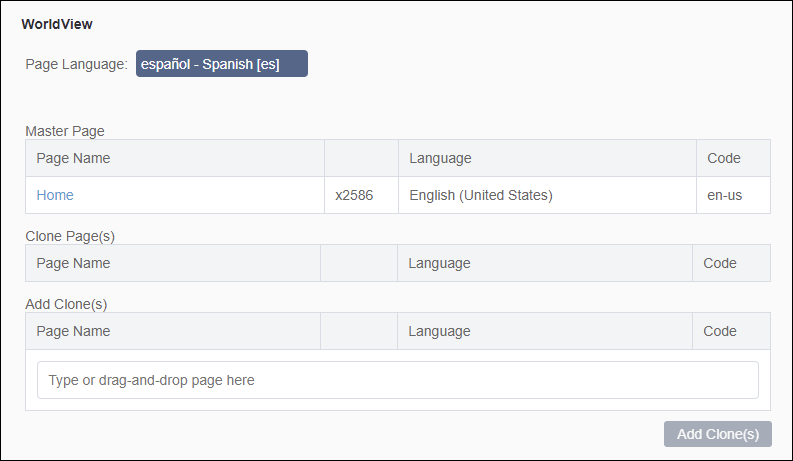
Note the dialog UI differs between CMS 10.6 and CMS 10.0-10.5.
In CMS 10.6, click WorldView from the Options list in the Properties dialog to access the settings.
In CMS 10.0-10.5, click the Language tab in the Page Properties dialog to access language settings. This dialog only provides Page Language settings.
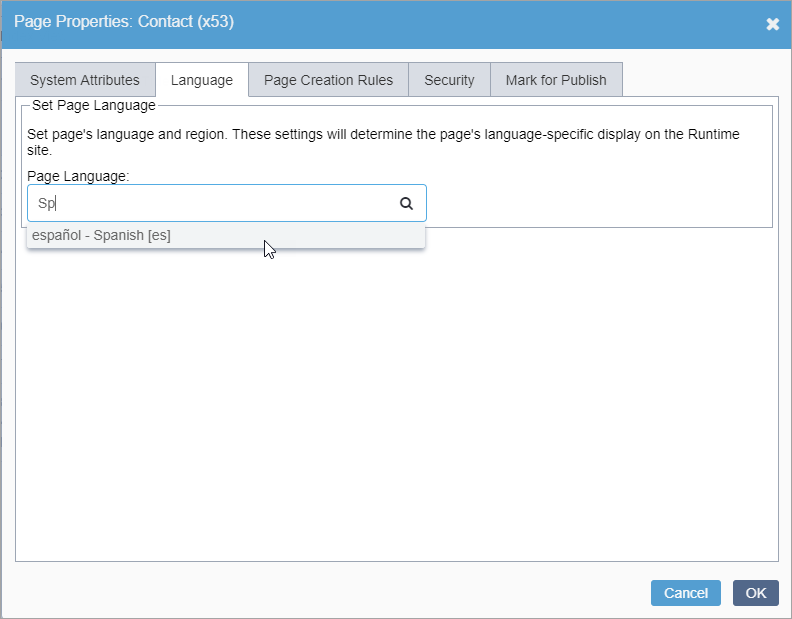
Page Language
In WorldView properties, the Page Language value specifies the language used for the page, component, or folder content, which is essential for multilingual sites. The Page Language value ensures the CMS manages the content within the site structure and publishs, replicates, and renders the content with the correct language and localization data. If you don't explicitly set a language, the page inherits the language from its parent page by default.
In addition to the Page Language setting, select or clear the Allowed to have region roots of other languages as children checkbox to control whether the content item's or folder's children can have a region root in a different language from their parent.
- If the Page Language field is blank, you can designate a language for individual pages, regardless of the assigned languages that users can write.
- If the item already has a lingual mapping, the CMS does not permit changing the language.
Master and Clone Pages
Master and clone pages support translation processes. A master page contains the content in the original language, and a clone page is a copy of the master created for translation into another language. Master and clone pages map to each other (i.e., master pages map to clone pages, and vice versa).
Review master and clone relationships in the Language related page properties section of the WorldView properties tab.
Fields include:
- Master Page
- If the content item is a clone, this field specifies the master page, including thew page's name, xID, language, and lingual code.
- Clone Page(s)
- If the content item serves as a master page and has been cloned, this field lists the corresponding clones, along with each clone's page name, xID, language, and lingual code.
- Add Clone(s)
- Use this field to add clones for the content item after the initial language
mapping.
See Adding Clones for details.