Adding Clone Pages After Initial Language Assignments
- Administrators should see Translation Prerequisites for details.
- The master region root and cloned region root must exist and connect via lingual mapping. See Preparing Pages for Translation for details.
Adding cloned pages is useful when administrators add new pages to the master language set that require translation. These new master pages must be associated with cloned counterparts.
Only administrators can add clones to master pages.
In the following scenario, the Spanish region root has already been established in the Site Tree. While the master pages can be in any language, they are in English in this case.
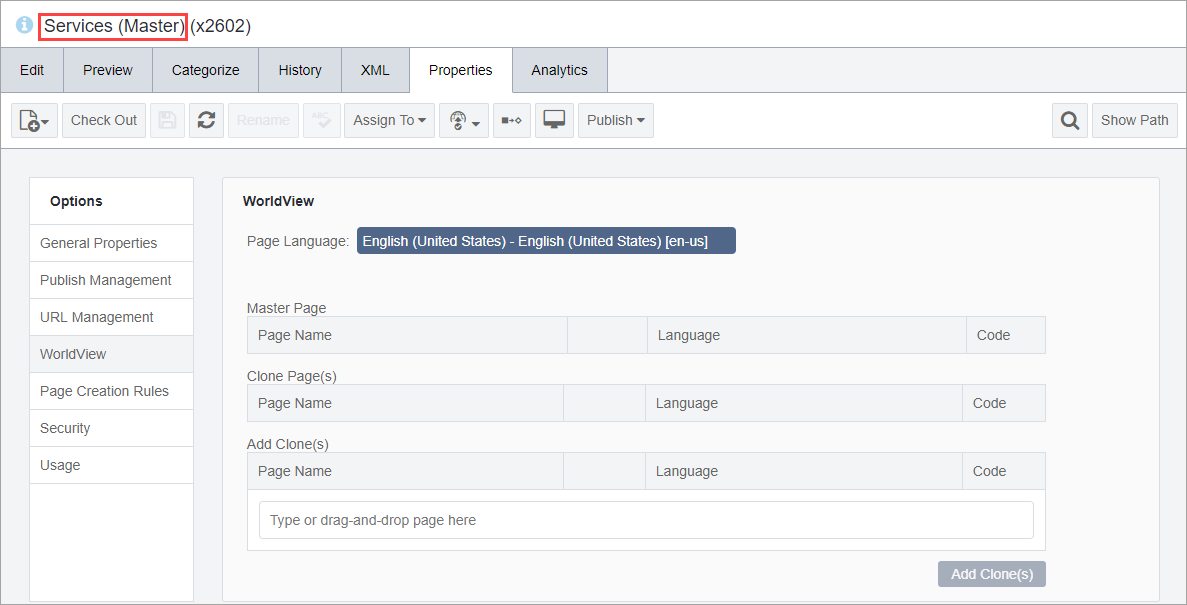
- Add a
page to the master region root folder.
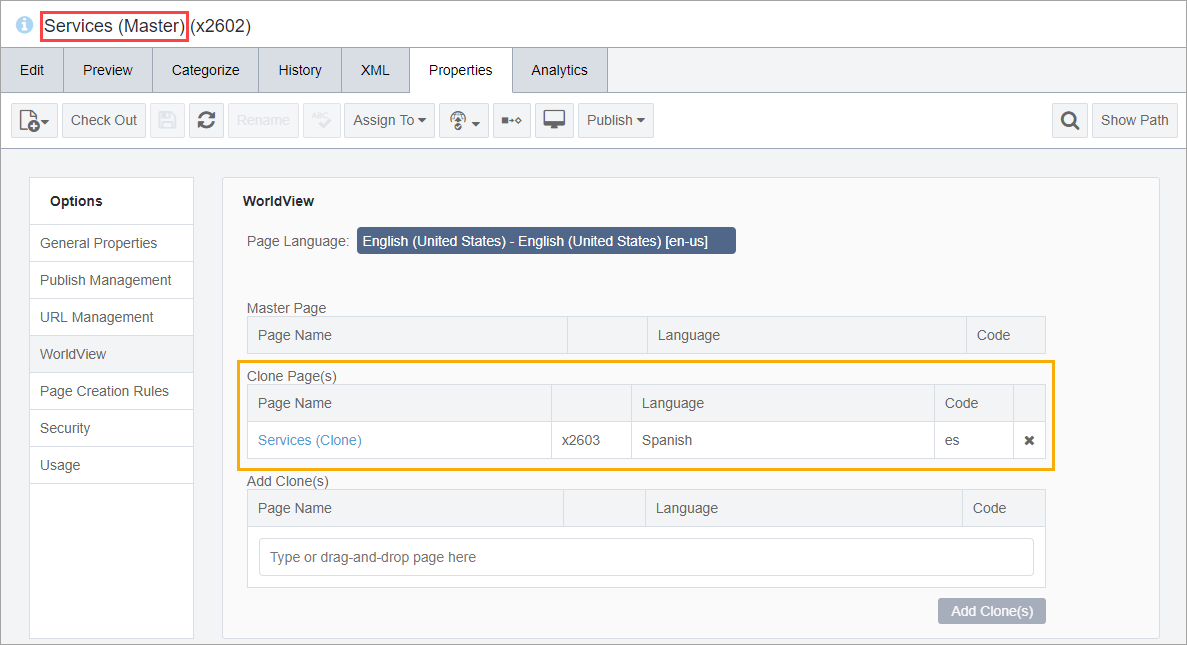
For example, in the English master region root, this new master page is named Services (Master), where "(Master)" is only for identification purposes. At this point, this master page does not have an equivalent clone.
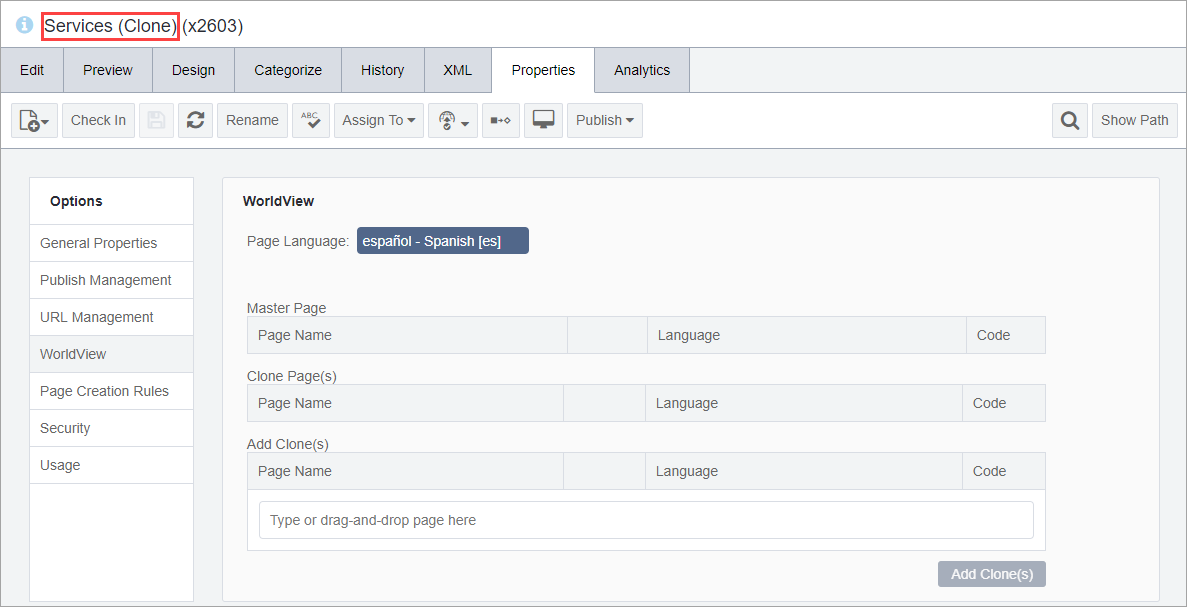
- Add a page to the Spanish clone region root folder in the Site
Tree.
For example, in the Spanish clone region root, this new cloned page is named Services (Clone), where "(Clone)" is just for identification purposes. As yet, this page is not associated with a master page.
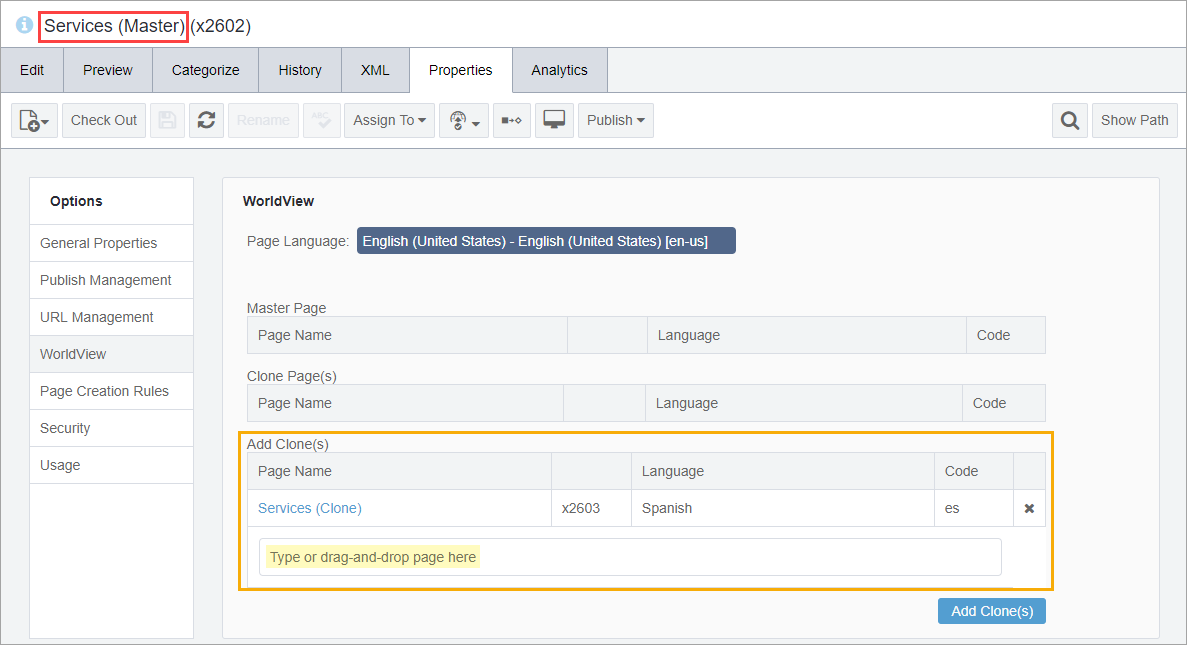
- Drag the clone (e.g., Services (Clone)) from the Site
Tree to the Add Clone(s) field or enter its xID
in this field. The added clone's name and xID display in the Add
Clone(s) list.
- Click the Add Clone(s) button to verify your selection. The
newly cloned page moves to the Clone Page(s) list.
 NoteYou may need to refresh the page before the cloned page displays in the Clone Page(s) area.
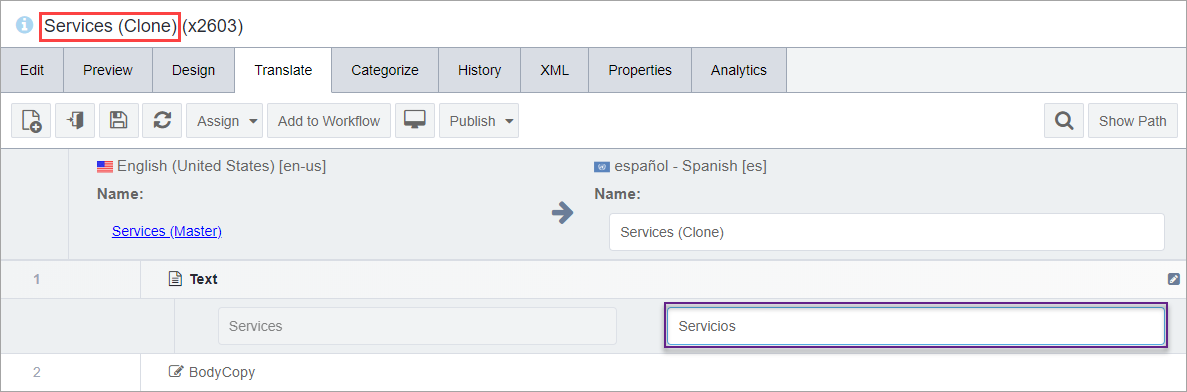
Next Steps: Translate the cloned page fields to the appropriate language (e.g., translate from English to Spanish).