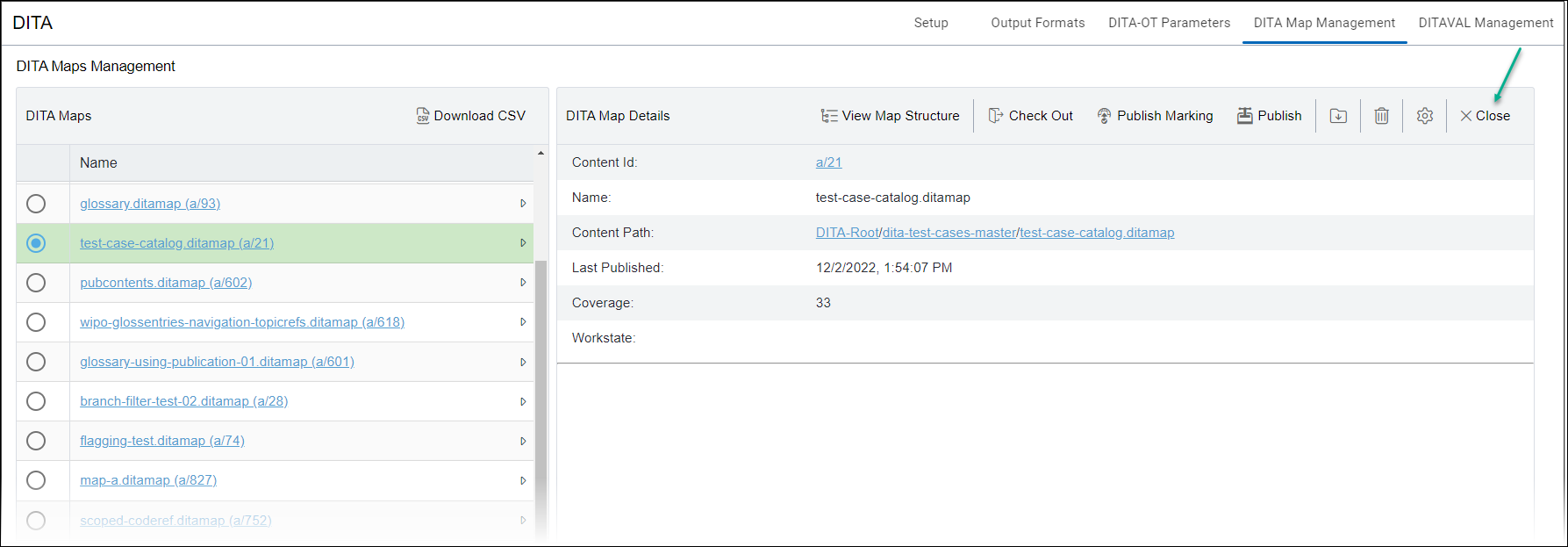
DITA Map Manager's Details View
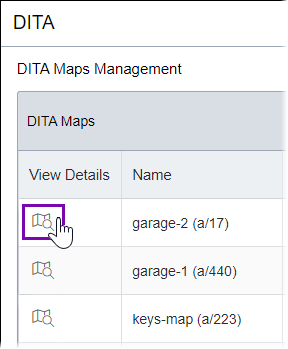
Administrators can access the details of a DITA map from the main view of the DITA Map Manager by clicking the appropriate View Details button to the left of the DITA map entry's Name.
Once the details view displays, you can accomplish the following tasks on individual DITA maps from the DITA Map Details toolbar:
View the dependency structure of individual DITA maps, including links to all referenced topics and other DITA resources. See Viewing Map Dependency Structure for details.
Check out and check in any DITA map and all its dependencies. See Checking Out/In Maps for details.
Determine the mark-for-publish status of any DITA map and which publishing target(s) it has been assigned to, and apply or clear the mark-for-publish status of any DITA map. See Marking/Unmarking Maps for details.
Publish the DITA map. See Publishing Maps for details.
Download the DITA map and all its dependencies. See Downloading Maps for details.
Assign metadata to each DITA map. See Tagging Maps for details.
Remove a DITA map and all its dependencies. See Removing Maps for details.